 Refract
Presentation software for live worship.
Refract puts lyrics, scripture and media on every screen in the room, from the projector to the livestream to the stage monitor. Run it from the Mac, an iPhone or iPad, or a browser, and bring the room in with live polls and Q&A.
Free, with no limits on what you build and present. macOS 13 or later.

Only in Refract
More of the team, more of the room.
Refract does what you'd expect from presentation software, then goes further: free apps for every computer, a full editor in the browser, and an audience that can join in from their phones.
Free on every Mac
The Mac, iPhone and iPad apps are free, with no seats to buy and no limits on what you build and present. Put Refract on every computer in the building.
Unlimited members
One organization for your whole team, on every plan. Refract Cloud is one price for the organization, not per person or per computer.
A full editor in the browser
Edit songs, scripture and slides from any computer, with the same canvas, themes, arrangements and builds as the Mac.
Refract CloudPresent from a browser
Run a show with no app installed: Show mode, an audience output and a stage output, and "Get ready" for spotty Wi-Fi.
Refract CloudPolls, Q&A and word clouds
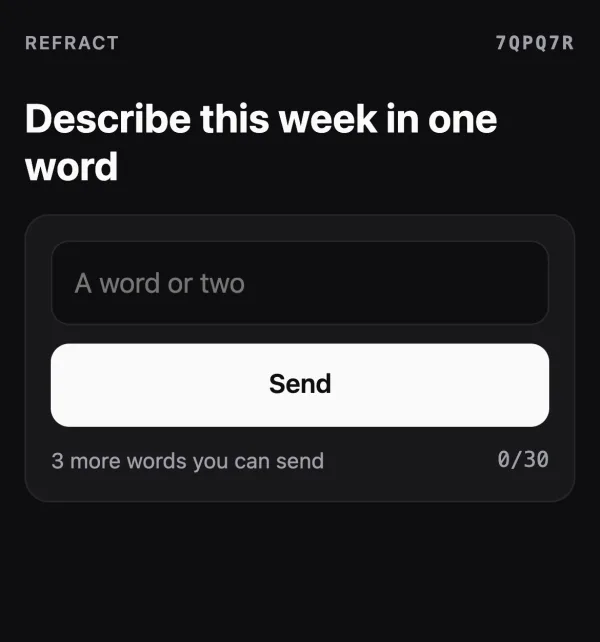
Built in, with no third-party service. People scan a QR code and join from their phone's browser, with no app or account.
Refract CloudRemote control over the internet
The iPhone and iPad apps keep working away from the building's Wi-Fi. No port forwarding or VPN, and they switch back to Wi-Fi by themselves.
Refract CloudSimple mode
One switch shows just the everyday controls, big and in plain words, so any volunteer can run the slides. Switch back and everything is where you left it.
Draw on the live slide
Mark up what's on screen from the iPhone or iPad remote, with Apple Pencil or a finger, in any colour. The drawing shows on every output.
"Only in Refract" compares Refract with ProPresenter's published features as of October 2026.
Included in Refract
The core of a live presentation app, all in the free Mac app.
Songs and scripture
- Paste lyrics and get slides with verses and choruses labelled
- Arrangements: write each section once, play it in any order
- Jump to any section with one key: 1–9, C, P, B, T, I, O
- Reflow: edit a whole song as text and keep every slide's media
- Two-language lyrics: a translation under each line, beside it or below
- Song credits: an automatic CCLI and copyright line on the first or last slide
- Song details ready for CCLI: authors, copyright, key, tempo
- Scripture from a reference like "John 3:16‑18". The KJV is built in; add other translations
- Find and replace across a presentation
Media and screens
- Images, looping video, PDF pages and animated GIFs
- A media bin that keeps a background up across songs, and clear to logo
- Any number of outputs, each with a Look: lyrics only, background only, lower third
- NDI® output with sound and dissolves, any size and frame rate, and a transparent background for keying
- NDI® input: another computer's NDI® source as live video on your slides
- SDI through Blackmagic DeckLink and UltraStudio, with key and fill and embedded sound (beta)
- Video transport with a level meter, and sound to the output you choose
- Live video: cameras and capture cards as a background or on a slide
- Screen setup: custom sizes for LED walls, crop and offset, and edge blending across projectors
Running the show
- Playlists for the whole service, with section headers; Next runs straight through
- Stage display layouts: Standard, Lyrics and Speaker, or design your own, on screens, browsers and iPads
- Service timers and countdowns, on slides and on stage
- Macros: several show steps on one button
- Audience messages with fill-in tokens, live countdowns and a ticker
- Audio cues and an audio bin for walk-in music and sound effects
Editing
- A full-size canvas with snapping, layers, text, images, shapes and timers
- Builds: elements or lines appear one at a time on Next, with Appear or Fade
- Slide and timer themes that keep every song looking the same
- Slide loops with auto-advance, for announcements and walk-in
- Copy and paste slides and elements, and undo for everything
Control
- MIDI: keyboards, pads and pedals, with Learn and presets
- OSC, with feedback for lighting desks and TouchOSC
- Stream Deck through Bitfocus Companion, with keys that light up
- Timecode: follow MIDI (MTC) or audio (LTC) timecode with cue times per slide
- Playback by MultiTracks: songs and sections follow your tracks over MIDI
- A phone remote in any browser, and several remotes at once, each paired once and revocable
- Keyboard first: arrows and space to move, function keys to clear
Peace of mind
- Backup Mac: a second Mac mirrors the show and takes over at the same slide in about a second
- Your library lives on your Mac: nothing on Sunday depends on the internet
- Deleted something? It waits in the trash for 7 or 30 days, on every Mac and the web
- Updates never interrupt a show; Refract asks before restarting
- Outputs come back on when their display is plugged in
- Free means nothing to activate and nothing to lapse mid-service
Bring what you have
Switching takes an afternoon, not a season.
Refract imports your library from ProPresenter, your designs from Canva and your service plans from Planning Center, so Sunday looks like it did last week.
ProPresenter 6 and 7
Songs, presentations, playlists, themes, media, timers, stage layouts and macros. Groups, arrangements and CCLI details come along, and a report lists anything that couldn't.
MacPlanning Center
Pick a month of upcoming plans and get a playlist for each, with the plan's sections as coloured headers. Songs match your library by CCLI number, new ones arrive with their lyrics and arrangement, and importing again updates it.
Mac and web · Refract CloudCanva
Choose one of your Canva presentations from a thumbnail grid and it comes in as slides, one per page, in order.
Mac and web · Refract CloudPDF, PowerPoint and Keynote
PowerPoint decks come in as editable slides, with their text, pictures, backgrounds and speaker notes, or as pictures if you prefer. Keynote decks come through Keynote on your Mac, and each page of a PDF becomes a slide. Google Slides: download it as PowerPoint.
Mac and webRefract Cloud
Your library anywhere. Your audience involved.
Refract Cloud adds a shared workspace for your organization, an editor and presenter in any browser, and teaching tools that make phones part of the service.
Edit from anywhere
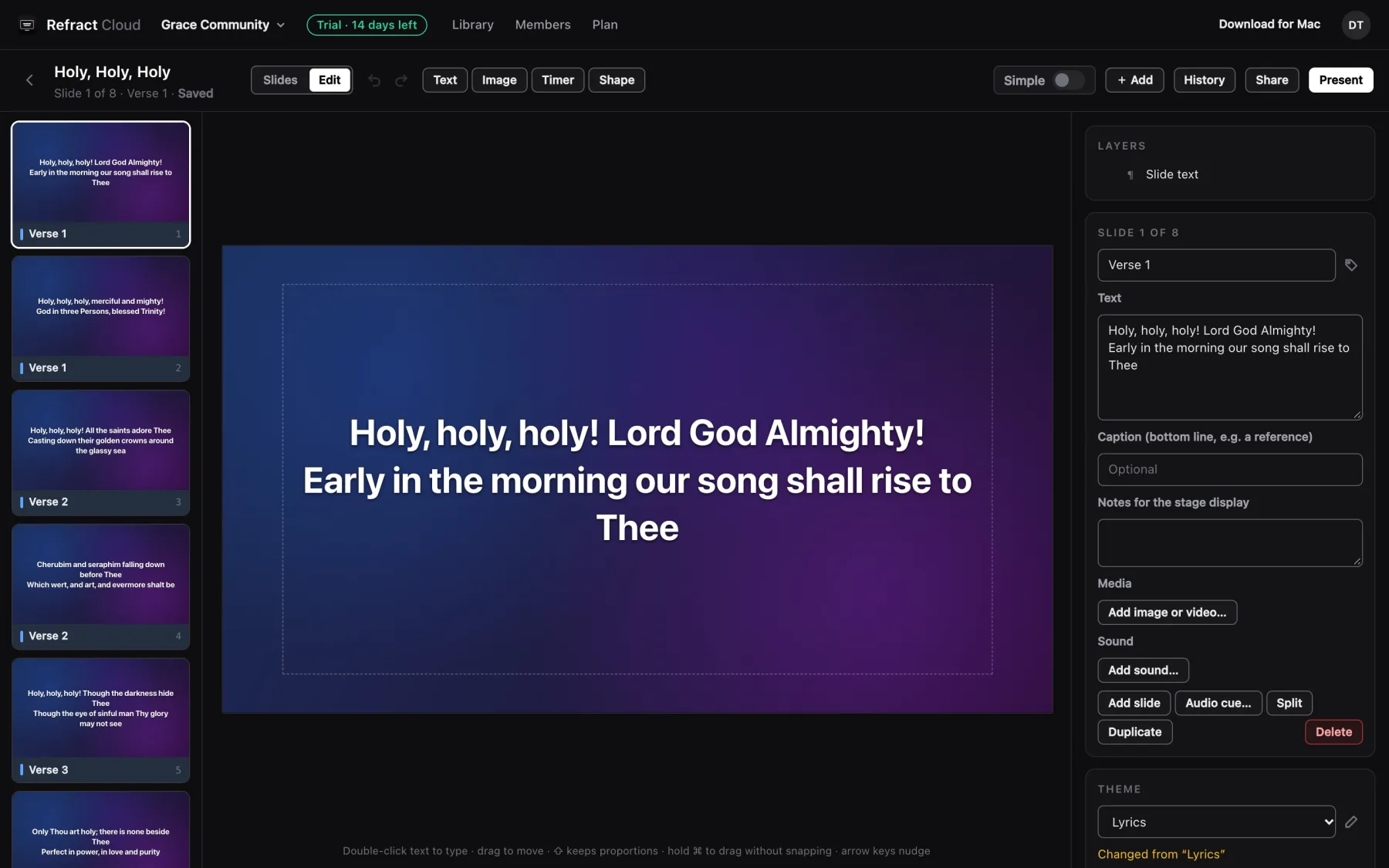
Worship leaders can build Sunday's songs from home, and every Mac in the building has them seconds later. Changes save on their own, on the Mac and on the web. While you're presenting, Refract asks before reloading anything, so nothing changes under what's live.
- The Mac's canvas, themes, arrangements, builds and undo, in the browser
- Lyrics, scripture, images, video and PDF import
- Version history, and find and replace across the whole library
- Presentations, playlists and themes stay in step on every Mac and browser
- Every Mac sees the whole library; songs download when you open them, or keep everything downloaded on the booth Mac
- Search finds a song by its lyrics, even before it's on this Mac. Switch between yours and everyone's
- Two people changed the same thing? Both versions are kept, nothing is overwritten
- Share links: anyone with the link can view a presentation or playlist
Teaching tools, built in
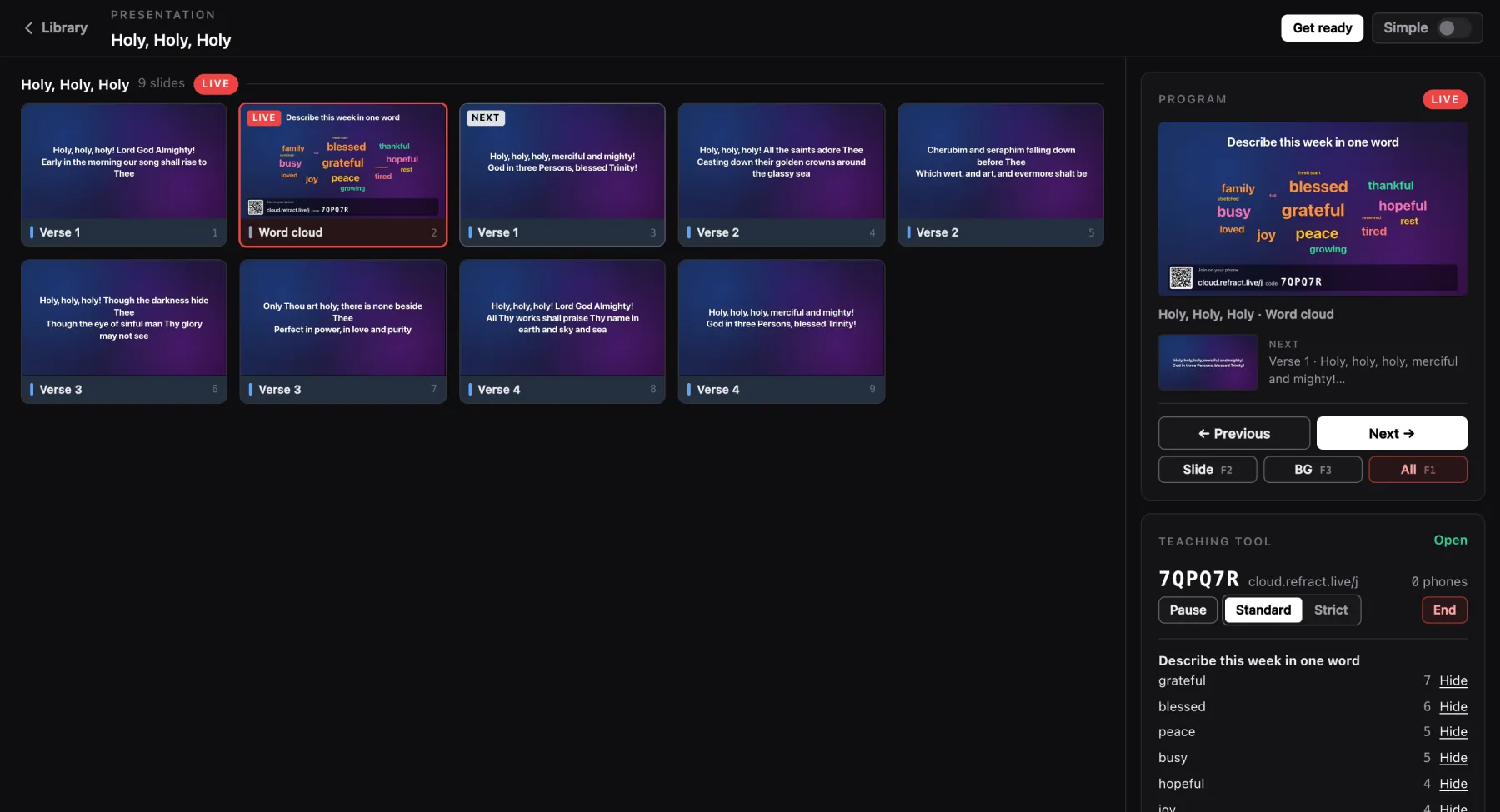
Add a word cloud, Q&A or poll slide. When it goes live it shows a QR code and a join code, and what people send appears on the slide as it comes in.
- One join code covers the whole service
- Approve, hide or pin questions; reveal poll results when you're ready
- A profanity filter, and questions it catches wait for you
- Moderate from the Mac, the browser, the phone remote or the iOS Remote
- Without the internet, the slide still shows its question and the show carries on
Organization workspaces
Owners invite the team with a link. Every plan has unlimited members.
Sign in your way
A code by email, a password, a passkey, or Sign in with Google or Apple. The Mac signs in through your browser.
Remote from anywhere
Open the remote or stage display in any browser from a Refract Cloud link, or let the iOS apps switch over by themselves.
Refract Remote & Refract Stage
Your iPhone and iPad join the team.
Two free companion apps find Refract on your network. Scan a code and you're connected. With Refract Cloud they keep working away from the building's Wi-Fi too.
Refract Remote
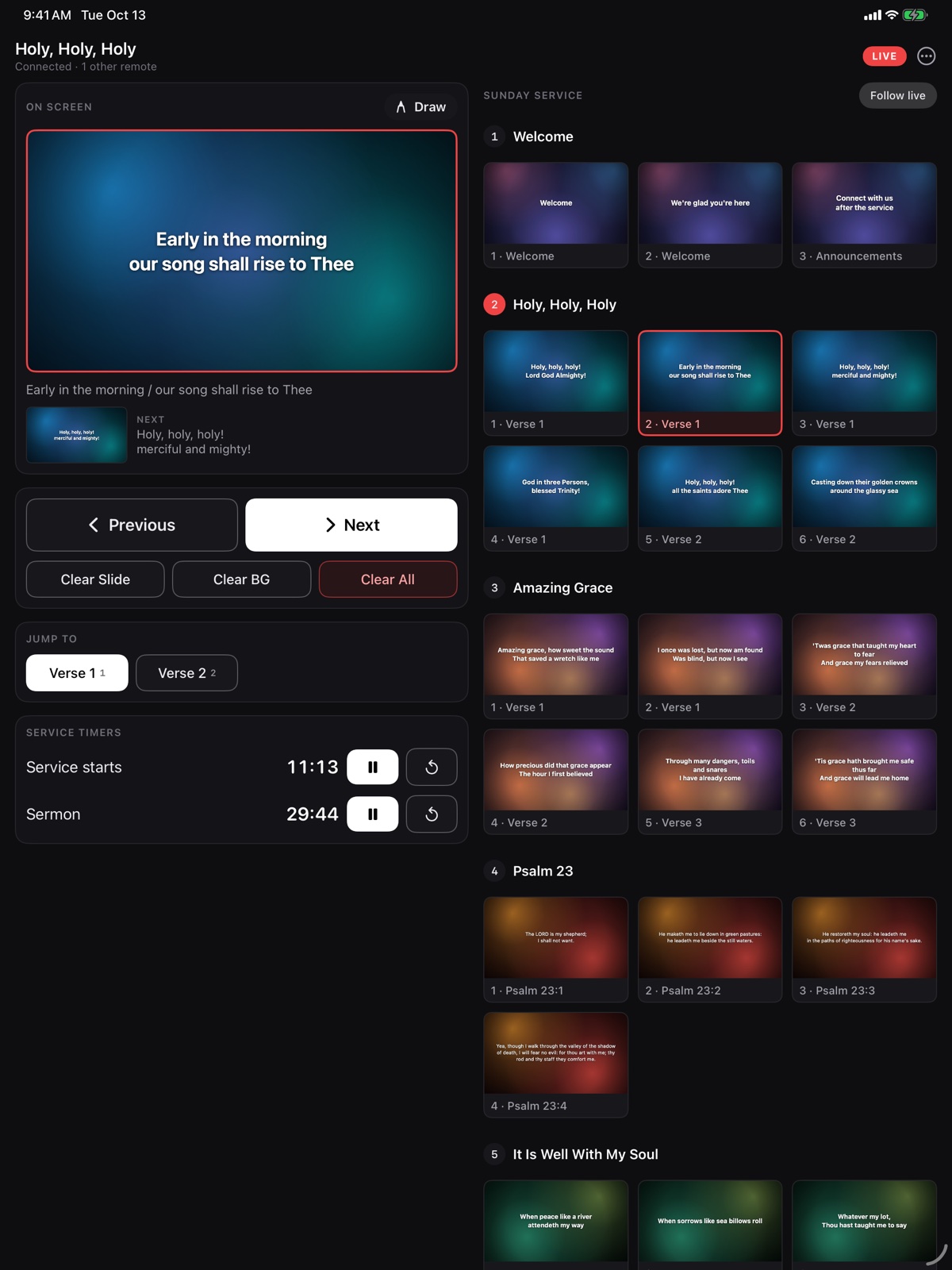
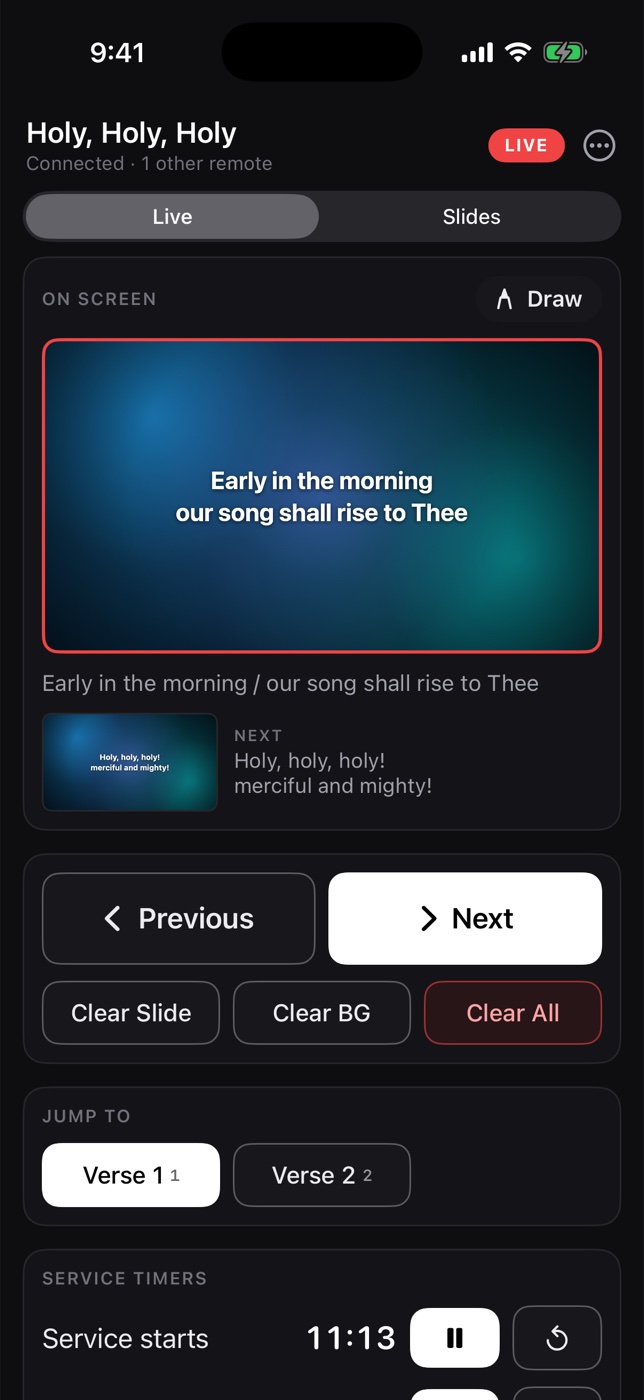
Run the whole service from anywhere in the room. The full playlist, the live slide and what's next, with the same controls as the Mac.
- Tap any slide in the playlist to go live, with the playlist's section headers
- Previous, next, clear slide, background or everything
- Jump to verse, chorus or bridge in one tap
- Timers, macros, audience messages and sound
- Draw on the live slide with Apple Pencil or a finger
- Moderate Q&A and word clouds
- Several remotes can control the same show at once
Refract Stage
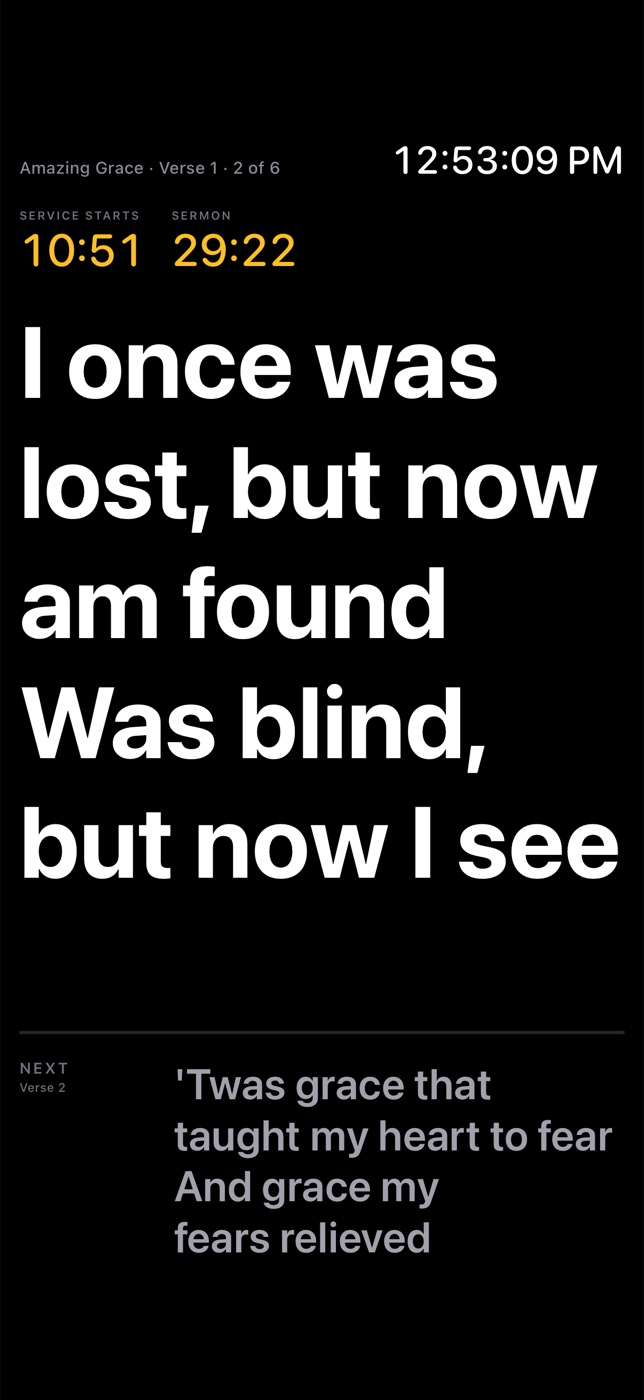
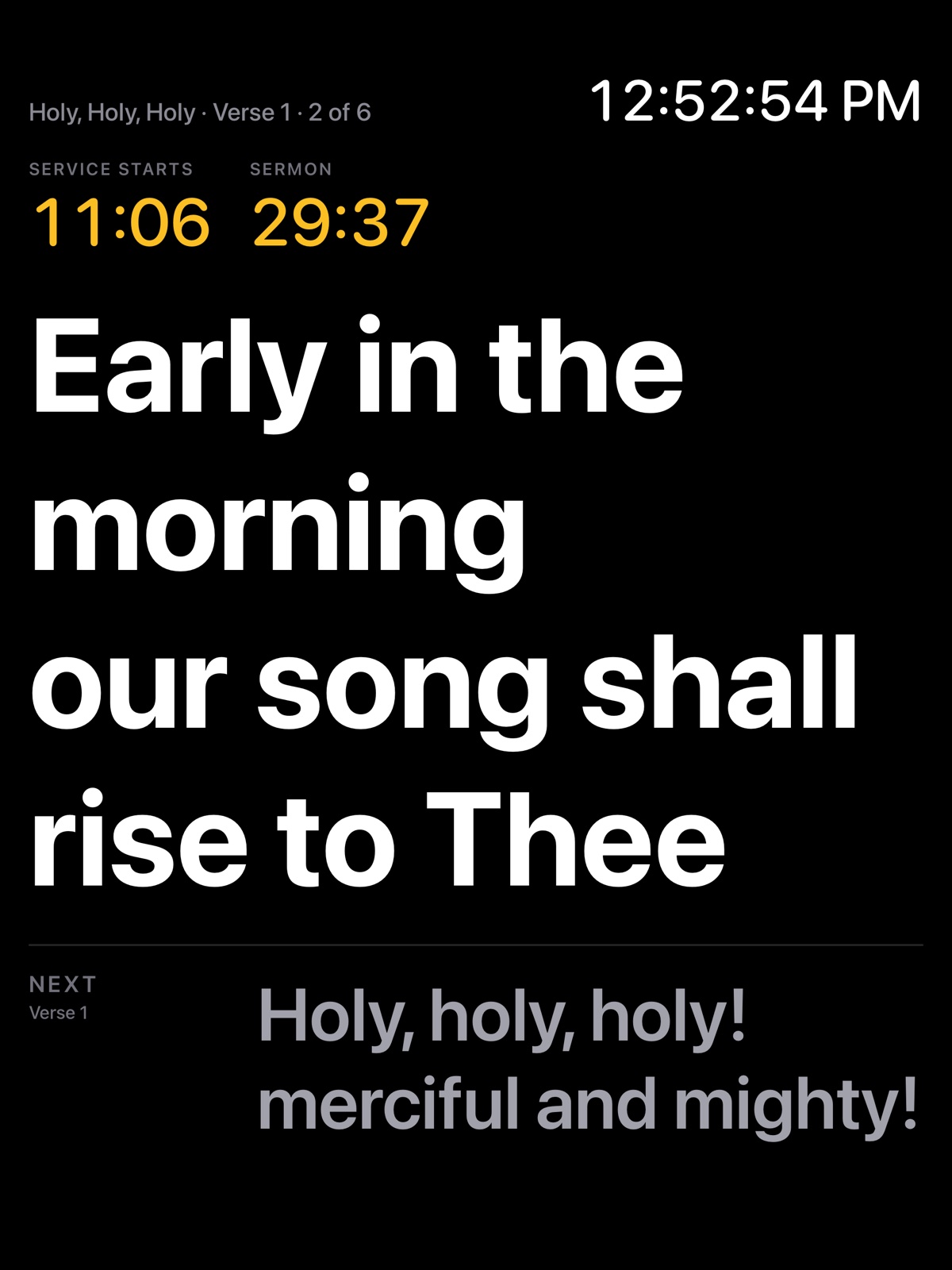
Turn any iPhone or iPad into a confidence monitor for the band or the speaker. It keeps the screen awake for the whole service.
- Current lyrics as large as they fit, and what's next
- Next song shown before the change
- Clock, service timers and stage messages from the booth
- The audience message the room is reading
- The Mac's stage layouts, or pick a different one on each device
- Translated lyrics under the main words
- View-only: no PIN, nothing to break
Pricing
Free on every Mac. Refract Cloud when you want it.
Refract for Mac, iPhone and iPad is free, with no limits on what you build and present. Refract Cloud adds the cloud: choose Pro, or Max for 1 TB of storage, at one price per organization with unlimited members.
Free
$0 forever
For everyone, on every computer.
- Refract for Mac on every computer
- iPhone and iPad remote and stage display
- Unlimited presentations, songs and media on your Macs
- Remote control on your own Wi-Fi
- An organization with unlimited members
Pro 14-day free trial
$19.99 / month
or $179.99 a year (save 25%), per organization.
- Everything in Free
- The cloud editor and library, in any browser
- Your library syncs to every Mac and browser, saved as you go
- Live polls, word clouds and Q&A
- Canva and Planning Center
- Remote control over the internet
- Share links
- 100 GB of cloud storage (10 GB during the free trial)
Max
$49.99 / month
or $449.99 a year (save 25%), per organization.
- Everything in Pro
- 1 TB of cloud storage
- Room for long videos and years of services
Event pass, $29 once: everything in Pro for 72 hours, with 100 GB of cloud storage, for a conference, a camp or a one-off service.
Coming soonHouses of worship and non-profits (with an EIN) pay $14.99/month or $150/year for Pro, and $39.99/month or $359.99/year for Max.
Coming soonThe free trial is 14 days of Pro with 10 GB of cloud storage, once per person, and starts with your first live session or the first time you open the cloud editor. No card needed. When a trial or plan ends, everything on your Macs keeps working, and your cloud content stays read-only for 3 months: view it, bring it into Refract, or download everything, and renew any time to pick up where you left off.
Ready for Sunday.
Download Refract for the Mac, bring your ProPresenter library across, and run your next service from the booth, the stage or your phone.
Free. macOS 13 or later. iPhone and iPad apps for iOS 17 or later.